
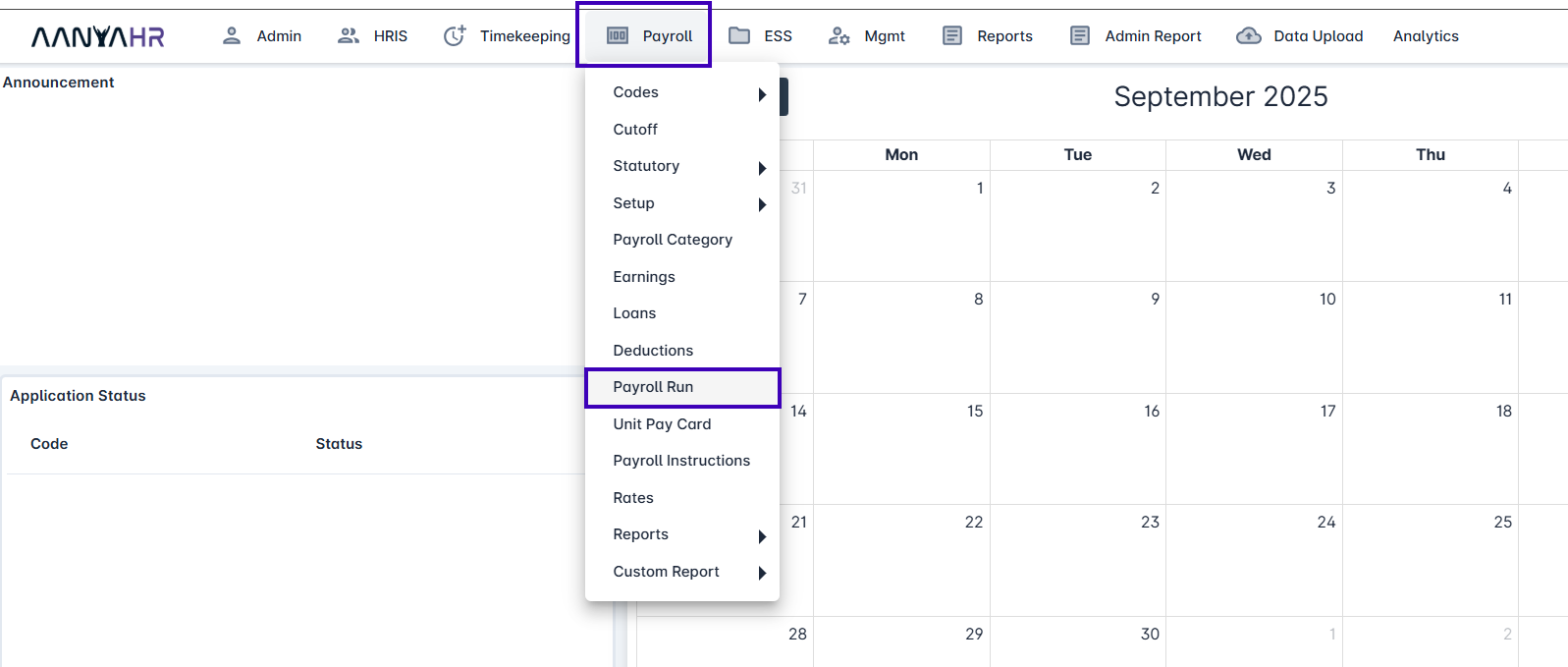
On the Dashboard/Homepage, Click Payroll module.
Within the Payroll module, Click Payroll Run.
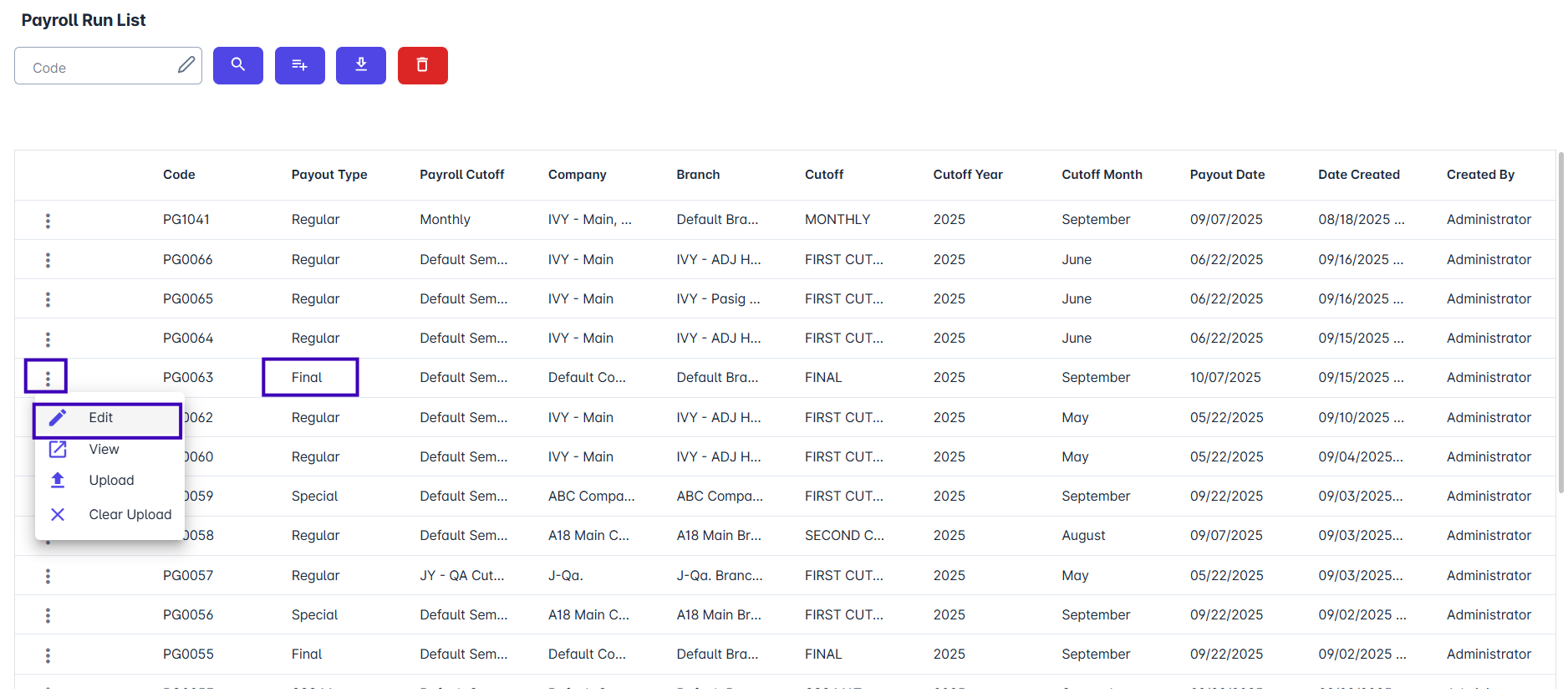
In the Payroll Run module, edit the payroll where the payout type is set to ‘Final’.
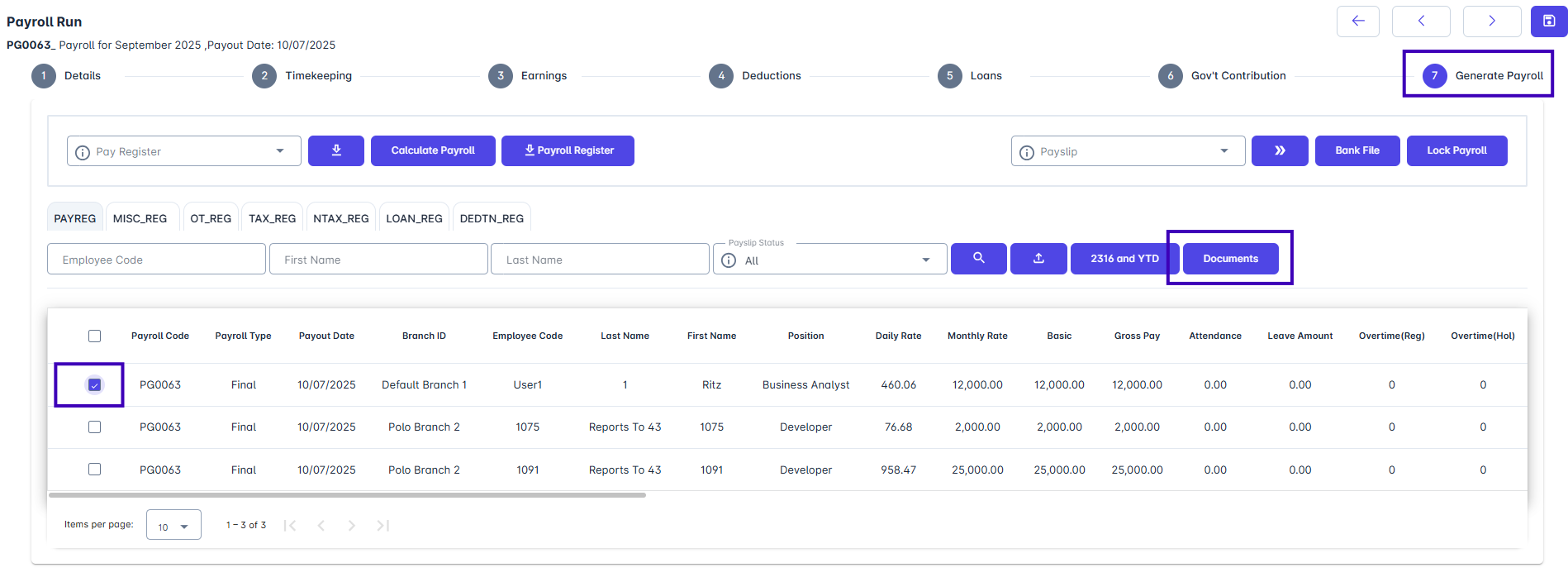
Go to Generate Payroll, select the employee, and click Documents.

Product Help
Payroll
This article provides instructions on exporting Final Pay documents from the system. The exportable documents include the Quit Claim, Year-to-Date (YTD) Report, BIR Form 2316, Certificate of Employment (CoE), and Payslip in PDF format.
Last updated on 17 Mar, 2026
On the Dashboard/Homepage, Click Payroll module.
Within the Payroll module, Click Payroll Run.
In the Payroll Run module, edit the payroll where the payout type is set to ‘Final’.
Go to Generate Payroll, select the employee, and click Documents.