

Follow the steps below to properly configure recurring or one-time deductions for employees.
Step 1: Start Creating a Deduction
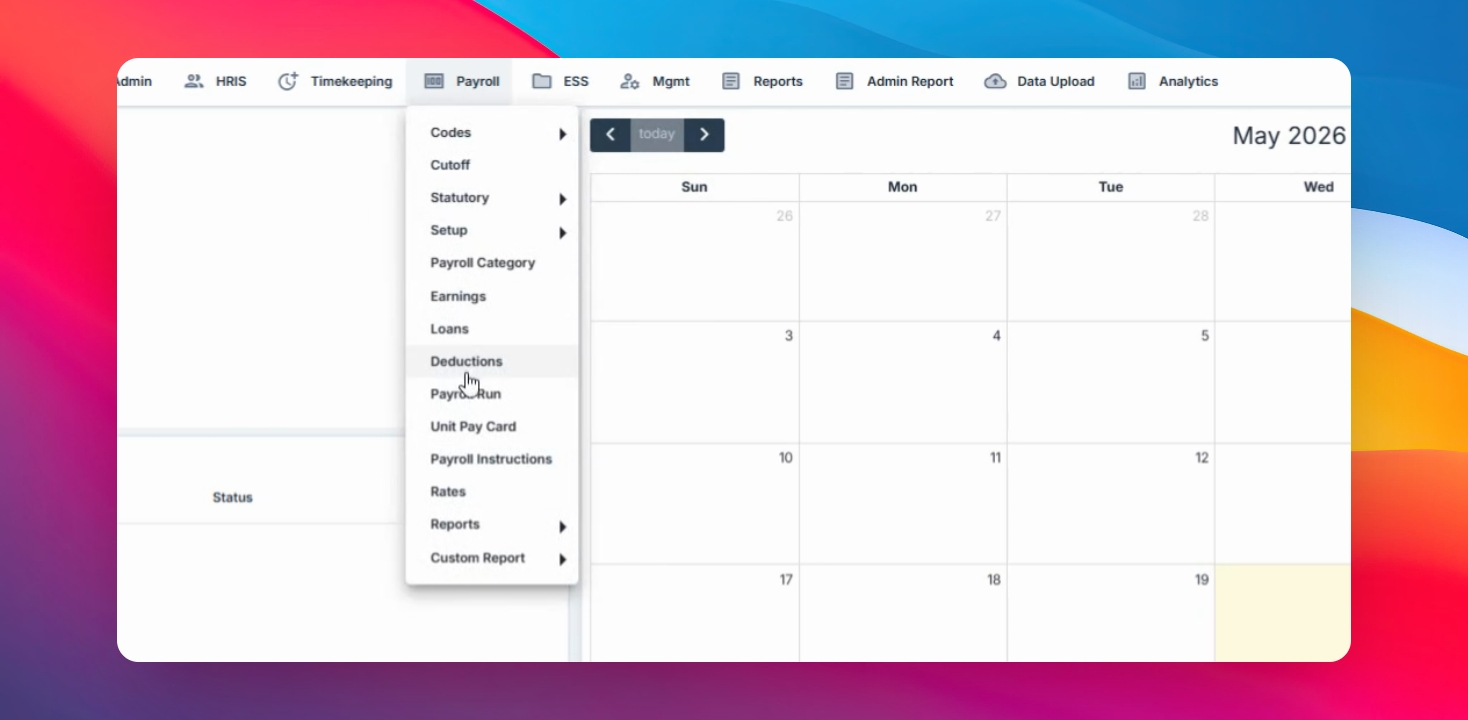
Navigate to the Payroll menu, select Deductions, click the Create button
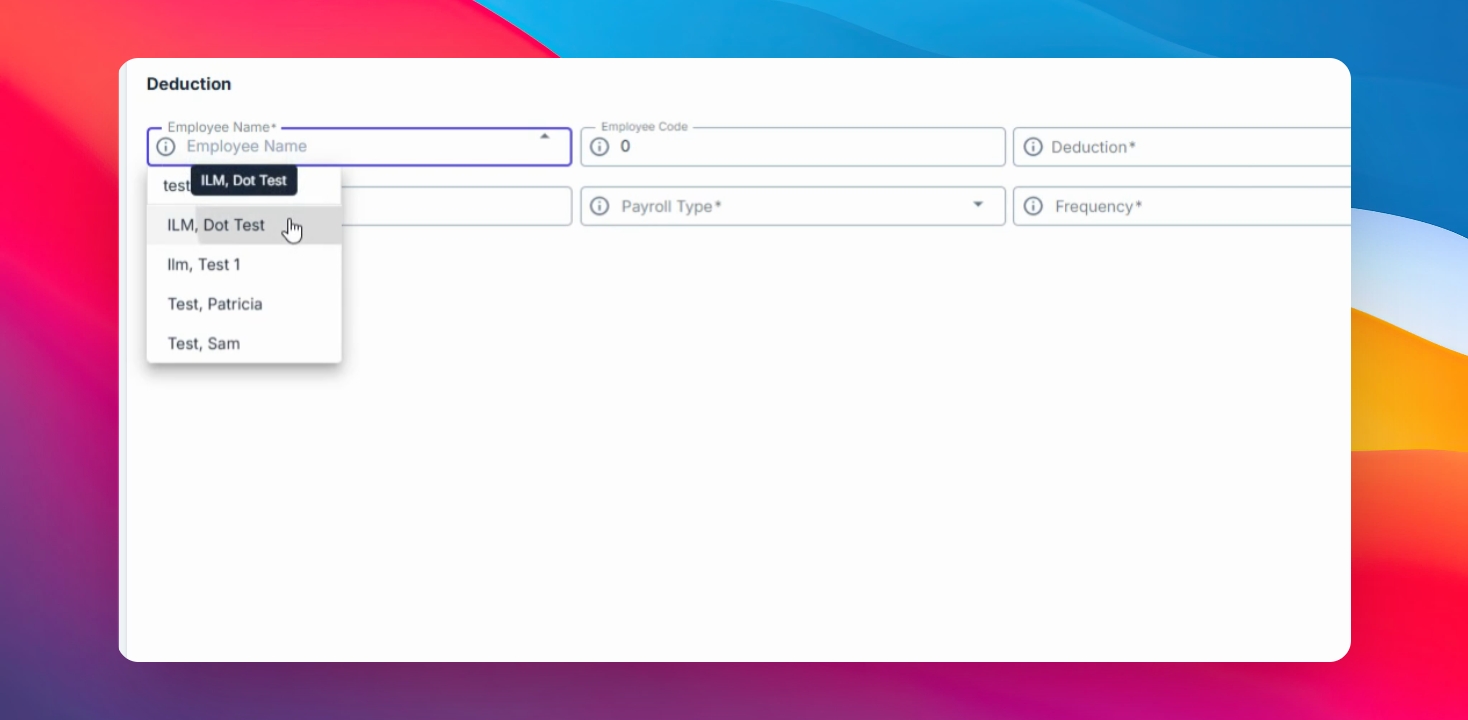
Step 2: Select Step 2: Select the Employee
Choose the employee for whom the deduction will be created. Once selected, the Employee Code will automatically filled.
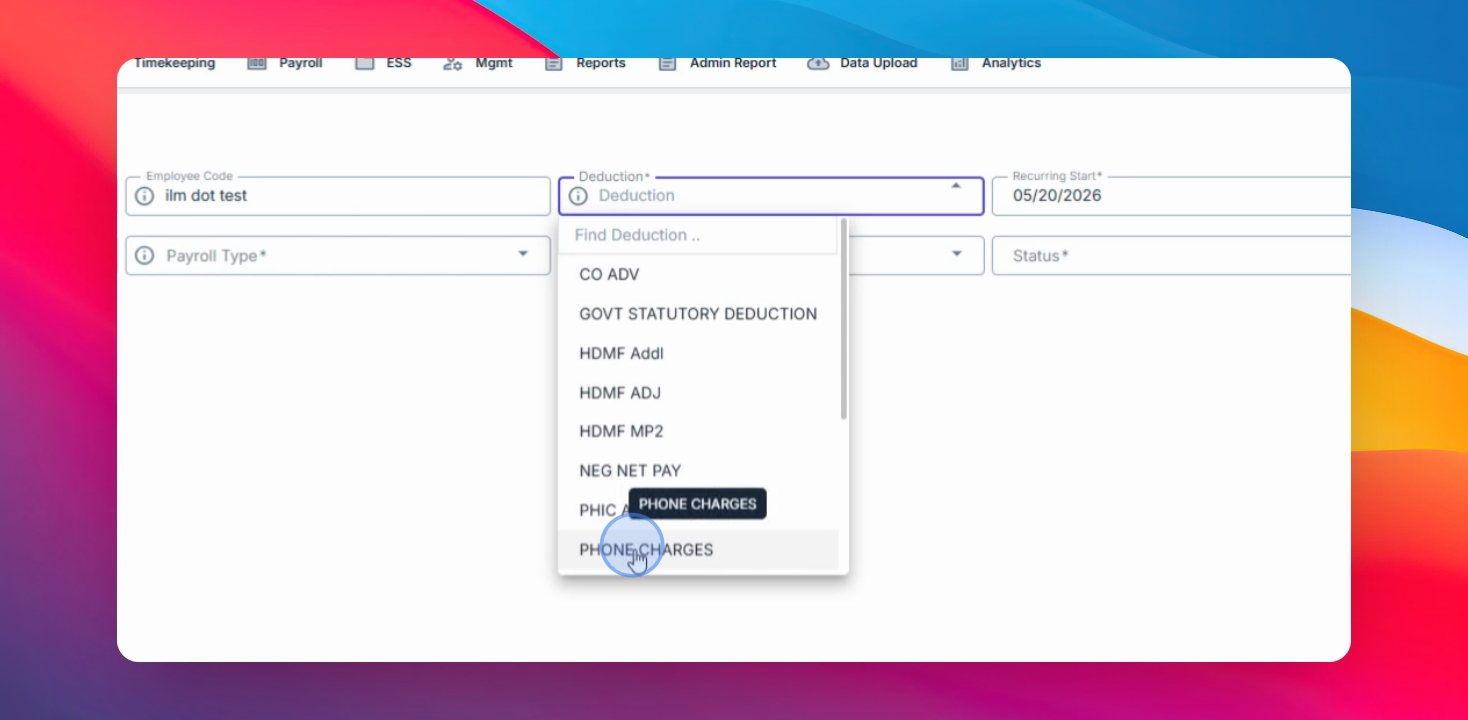
Step 3: Choose the Deduction Code
Select the appropriate Deduction Code to apply to the employee.
Step 4: Set the Deduction Period
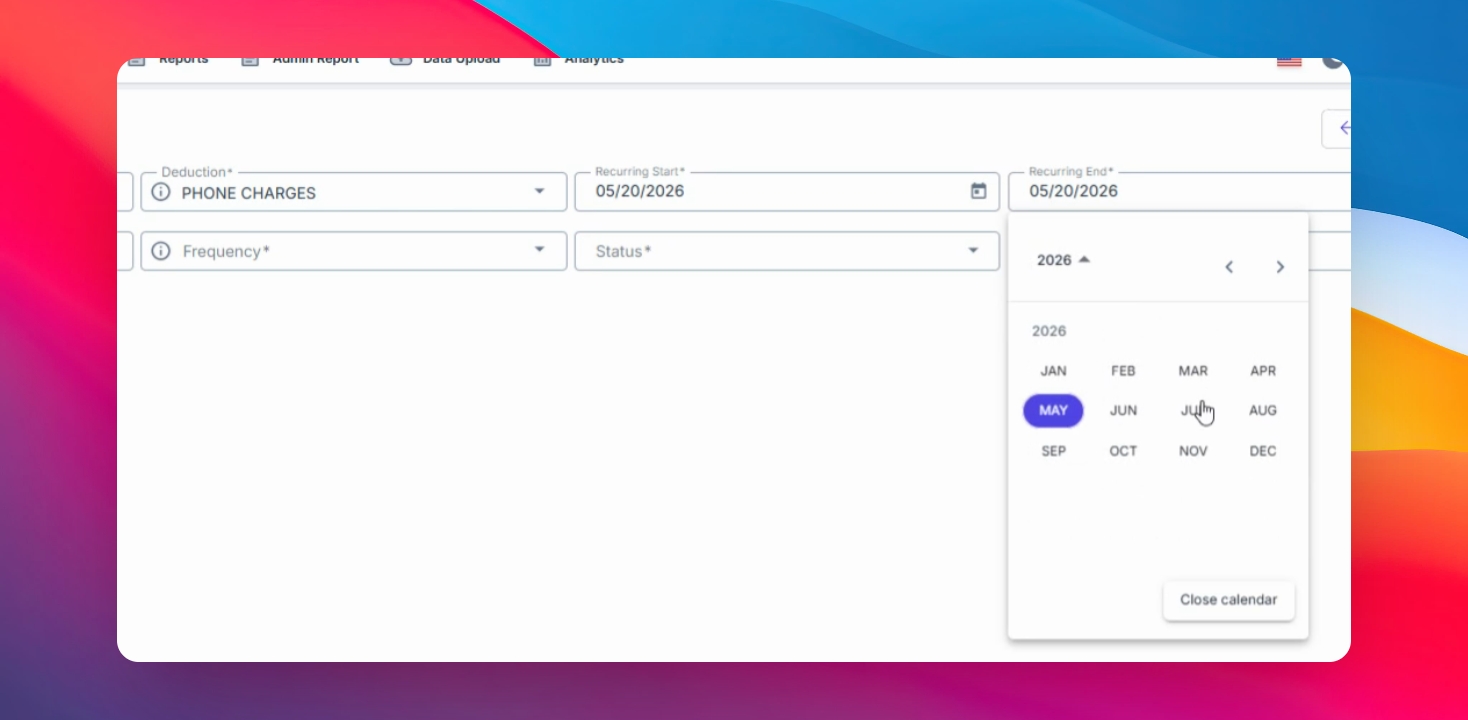
Select the applicable Deduction Period. This setup is commonly used for one-time deductions.
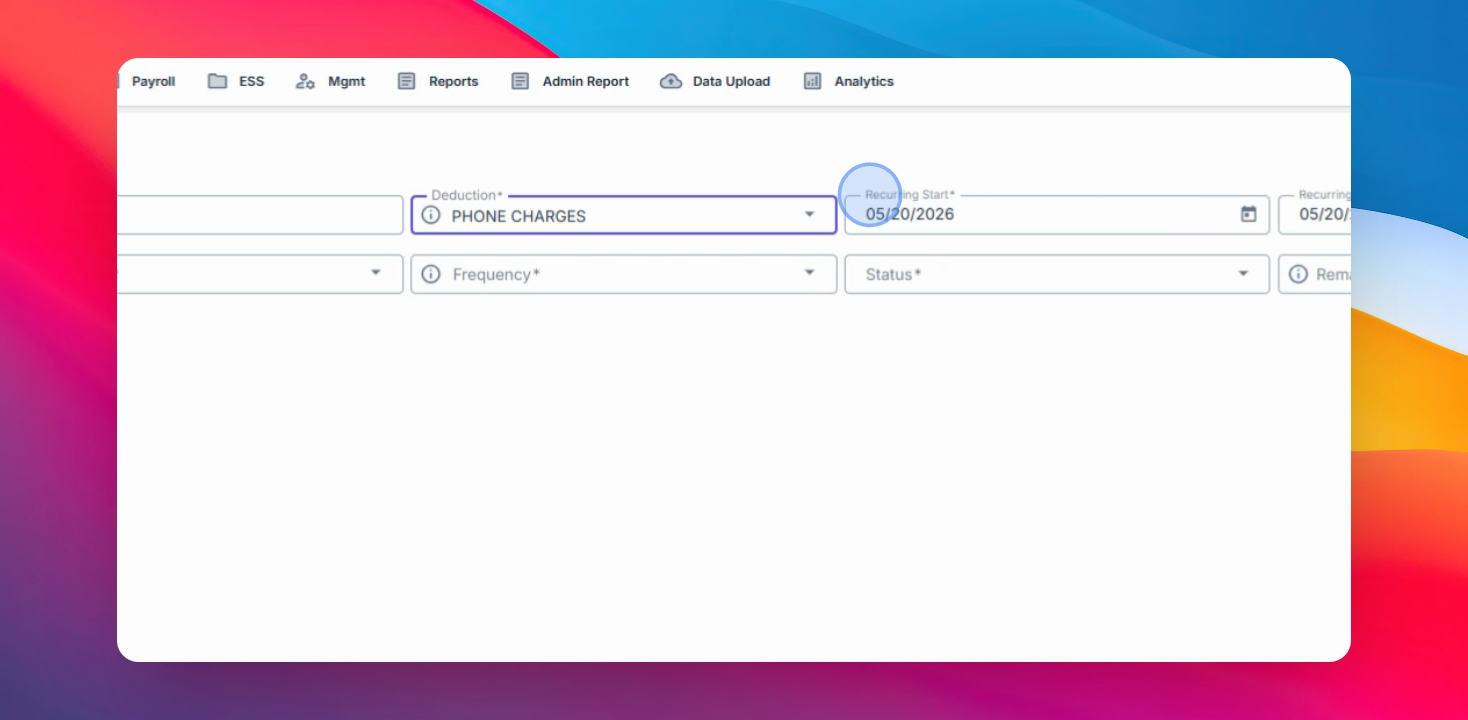
For Recurring Deductions
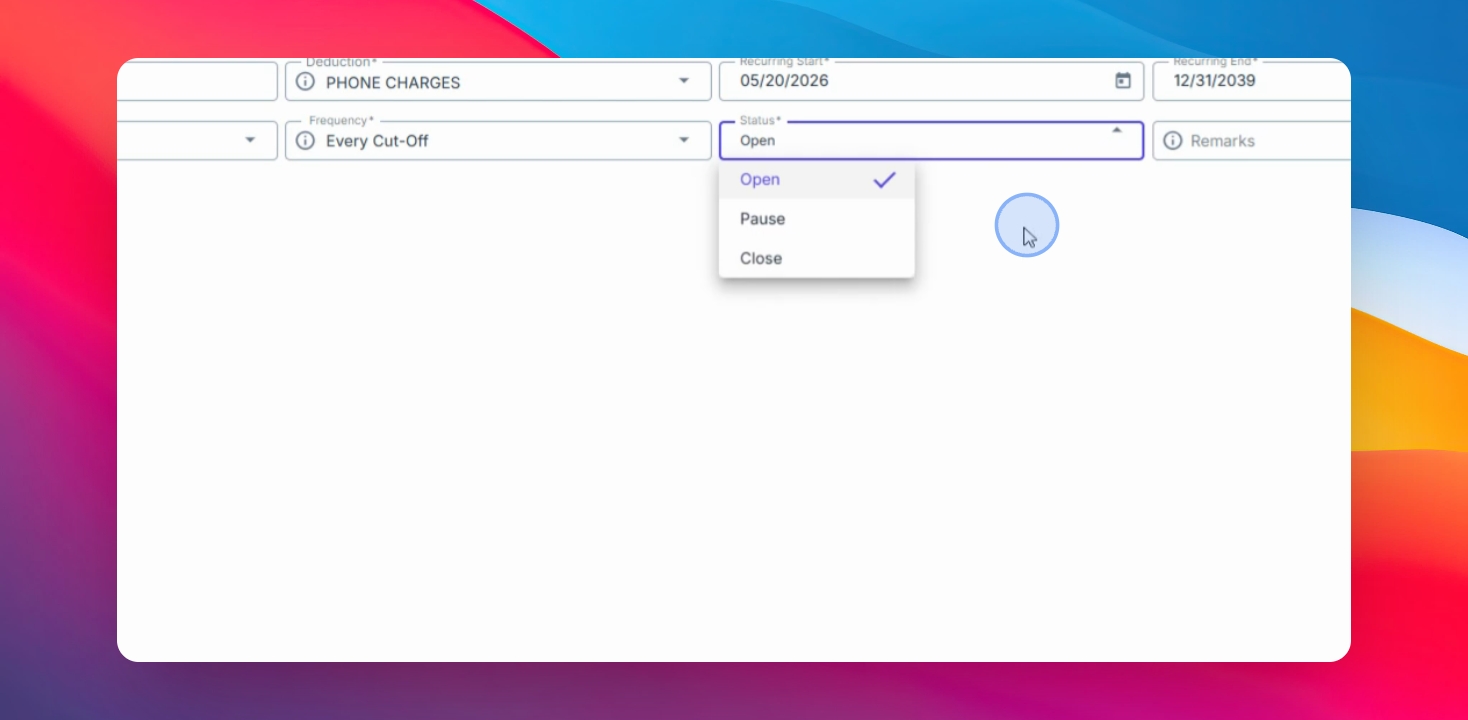
If the deduction is recurring, set the Recurring End Date based on your preferred duration.
Examples:
End of the current year
December 31
Year 2039 for ongoing deductions
Step 5: Enter Deduction Amount
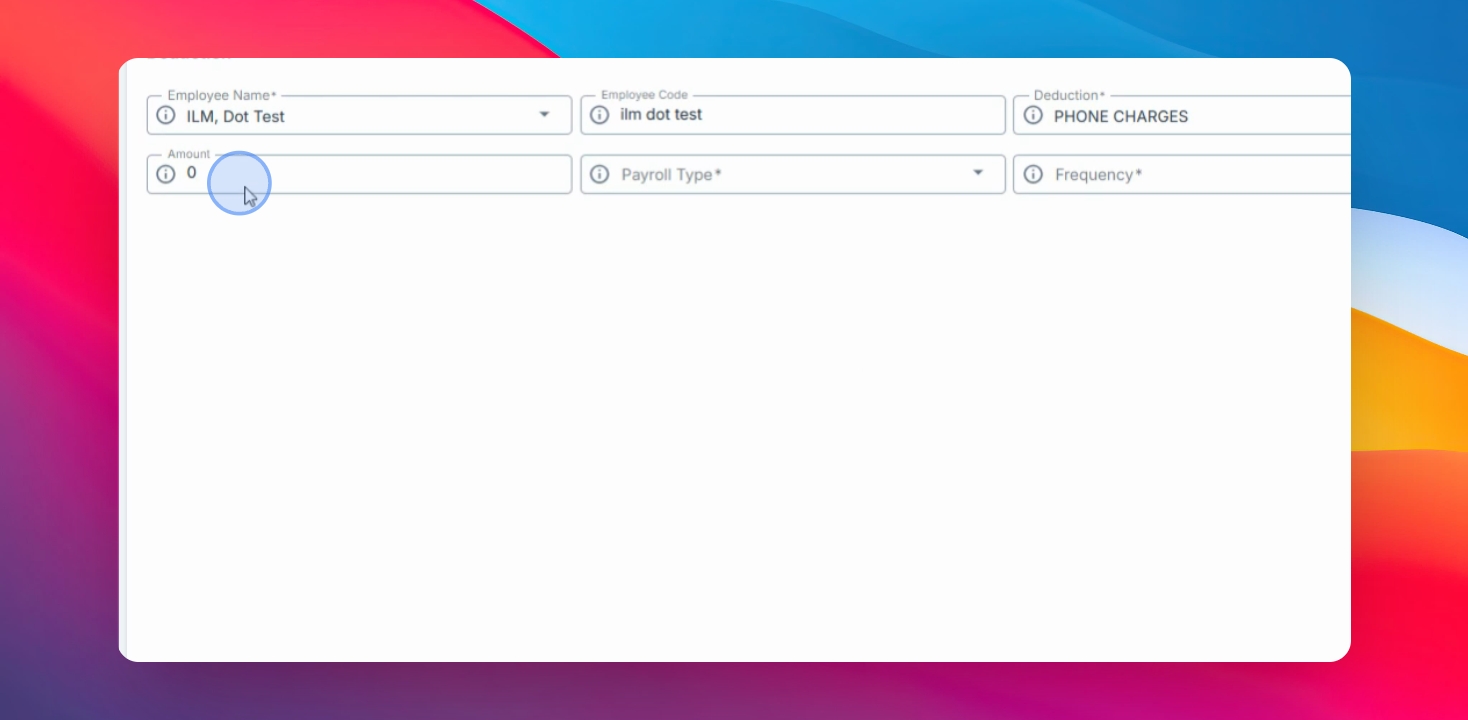
Enter the deduction amount.
Step 6: Set Payroll Type
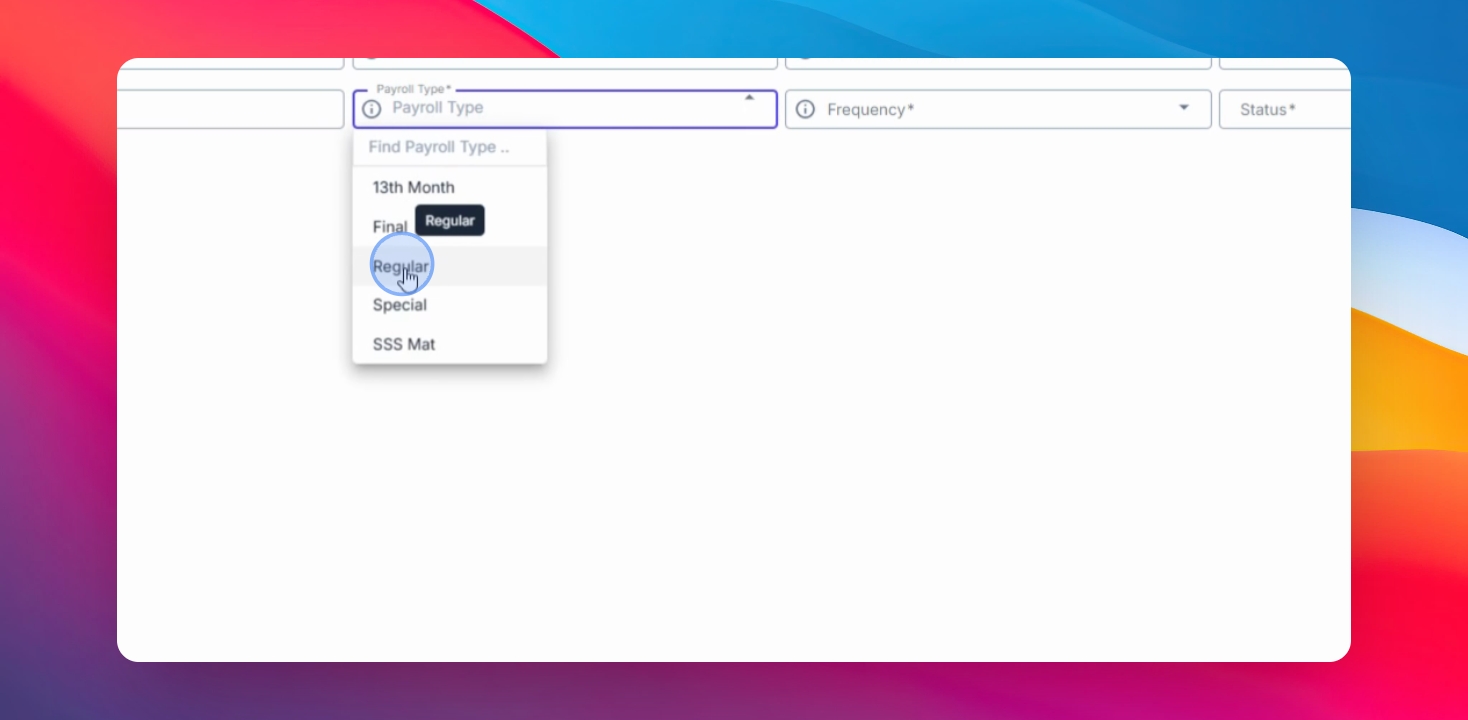
Select the payroll type as regular.
Step 7: Choose Frequency and Status
Select the frequency for the deduction (every cutoff, first or second for semimonthly, or available weekly options). Set the status to open.
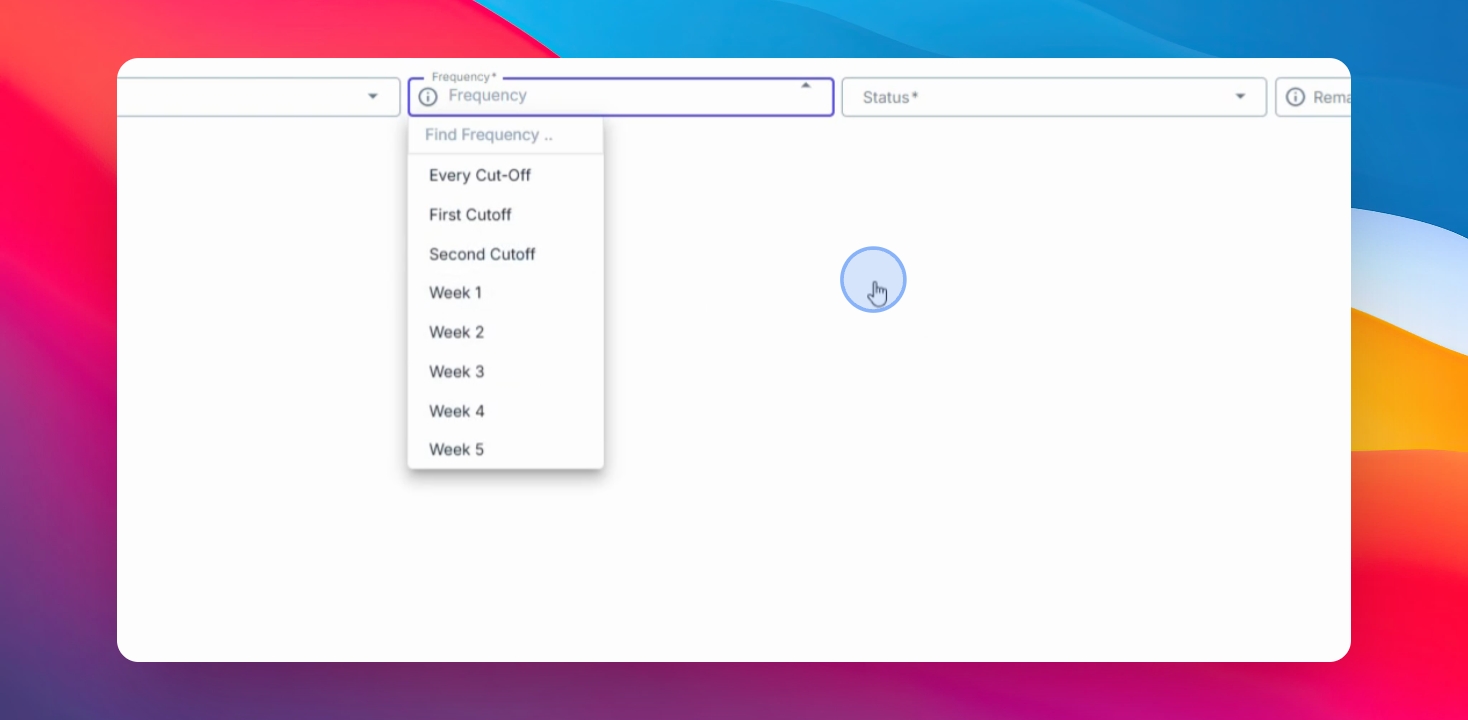
You can modify the status to pause or close later, and add remarks for internal monitoring.
Step 8: Save Deduction
Click Save changes to successfully create the deduction for the employee.
You have now learned how to manually create and manage employee deductions in the Anya HR Payroll system. Proper deduction setup helps ensure accurate payroll computation and consistent employee deduction tracking.