Hi and welcome to the Aanyahr Affiliate Program. The goal of this program is simple: to help more companies improve productivity and reduce costs through AanyaHR, while rewarding you for introducing them to our platform.
Getting started is easy if you know a family member, friend or acquaintance working in a company. Let's look at the steps:
Step 1: Identify Decision Maker
Identify who the decision maker is for an HRIS and payroll system.
Step 2: Schedule Demo
Once you've spoken to them, ask for their preferred time for an AanyaHR demo and schedule it using affiliate program software.
And that's it. Your job is done. You don't need to follow up or make any sales pitches; our team will take care of everything from there.
We'll keep you updated on the progress of your referral and once the client makes their initial payment, your payout cycle will begin.
Step 3: Access Your Profile
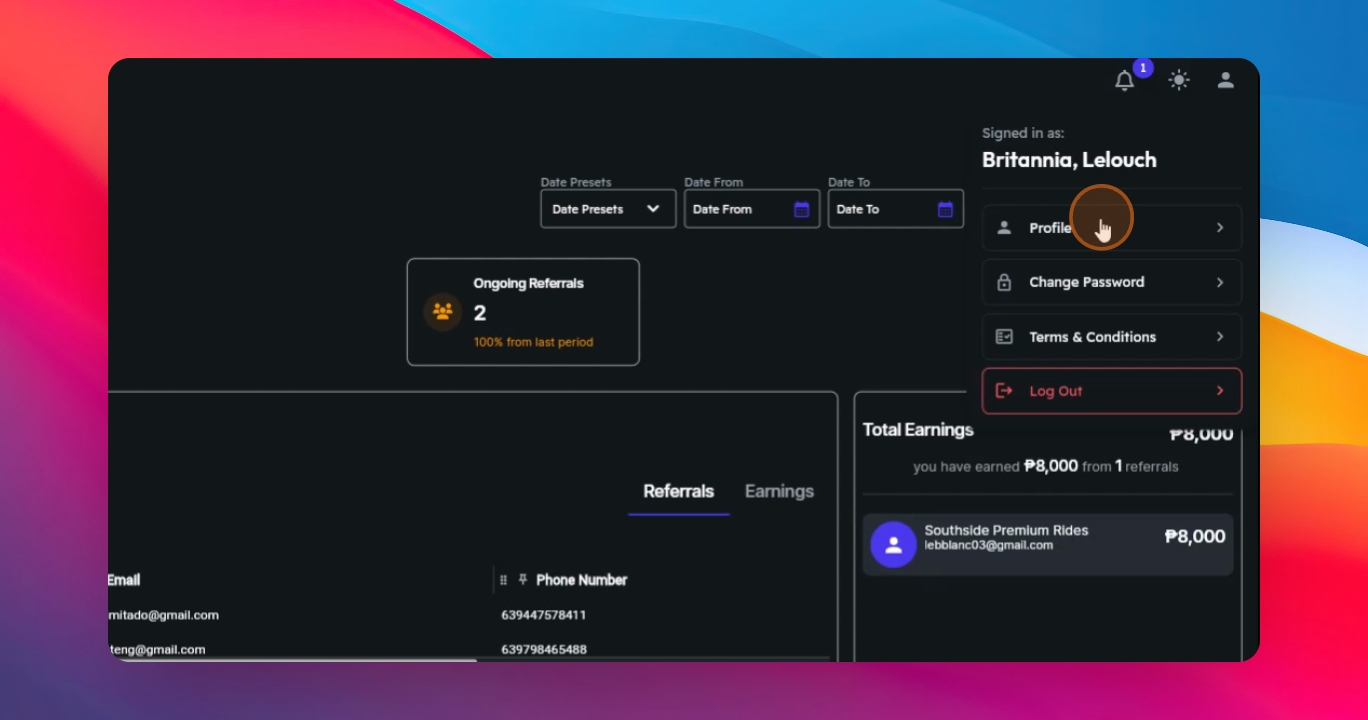
To view or update your profile, go to the upper corner and click your account icon and select Profile.
Step 4: Update Profile
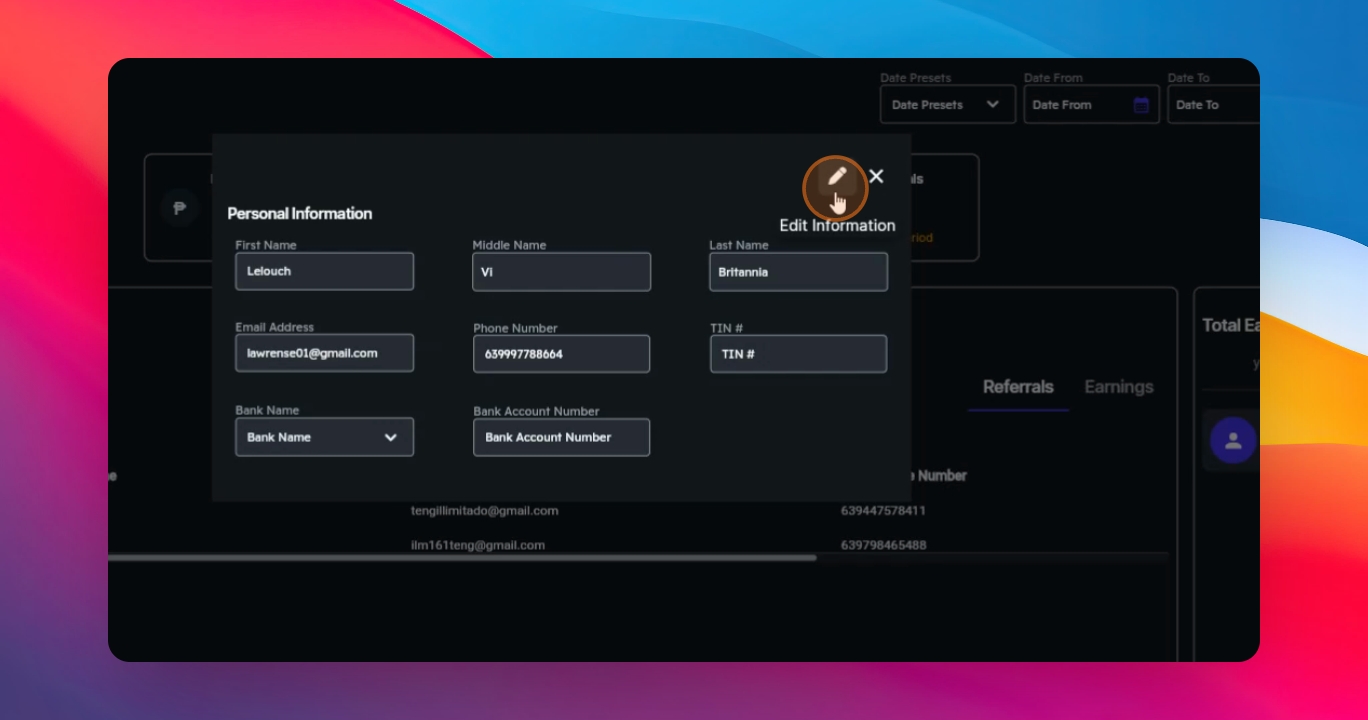
If you need to make changes, click the pencil button, update your information and click Save Changes.
Step 5: Change Password
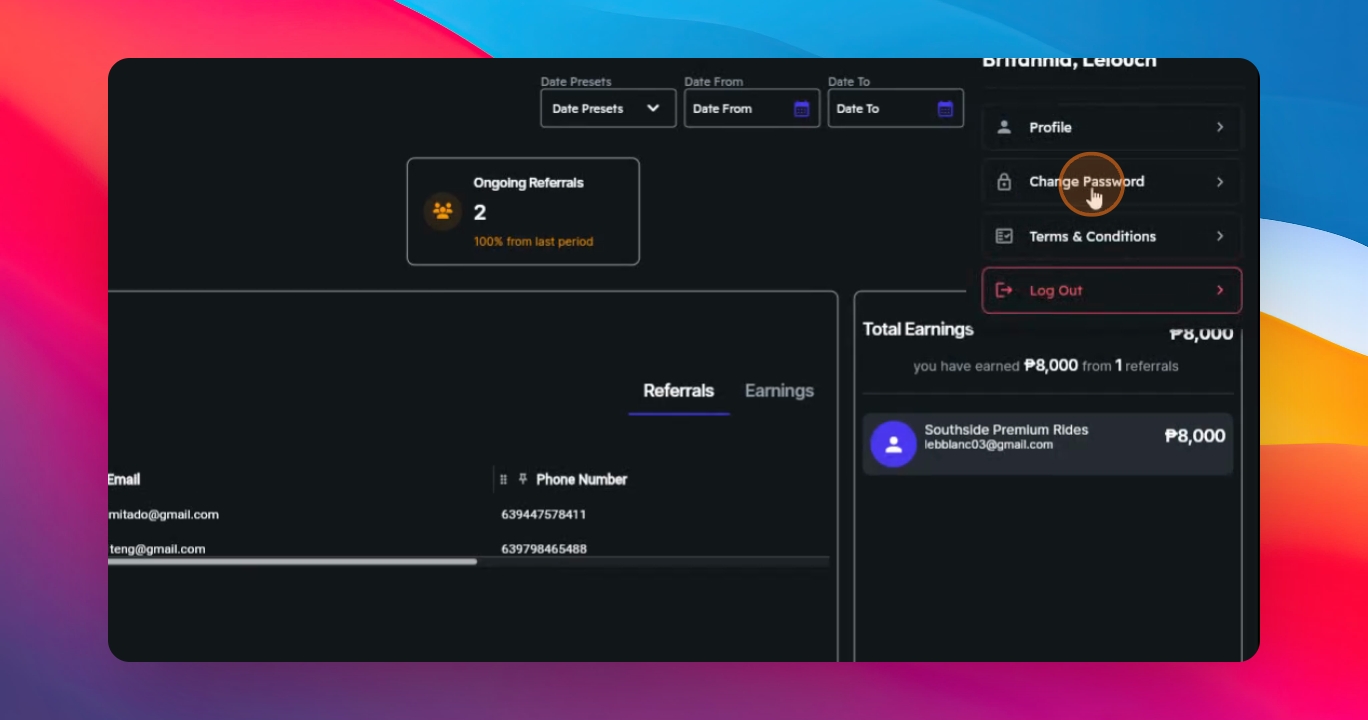
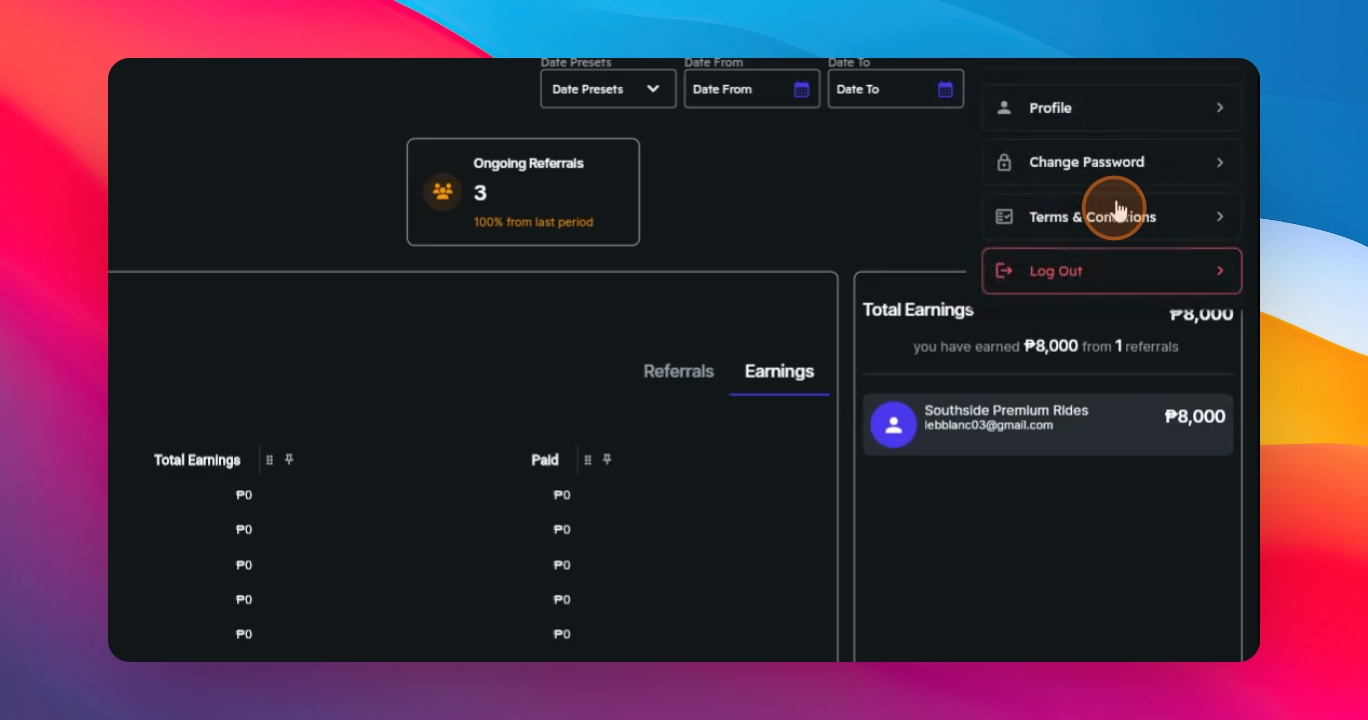
If you want to change your password, click your account icon, then select Change Password, choose Send OTP to email, enter the code sent to your inbox, set your new password and save changes.
Step 6: Use Date Preset
This allows you to quickly select a time range when checking your earnings. If you need something more specific, you can also use the Date from and Date to fields.
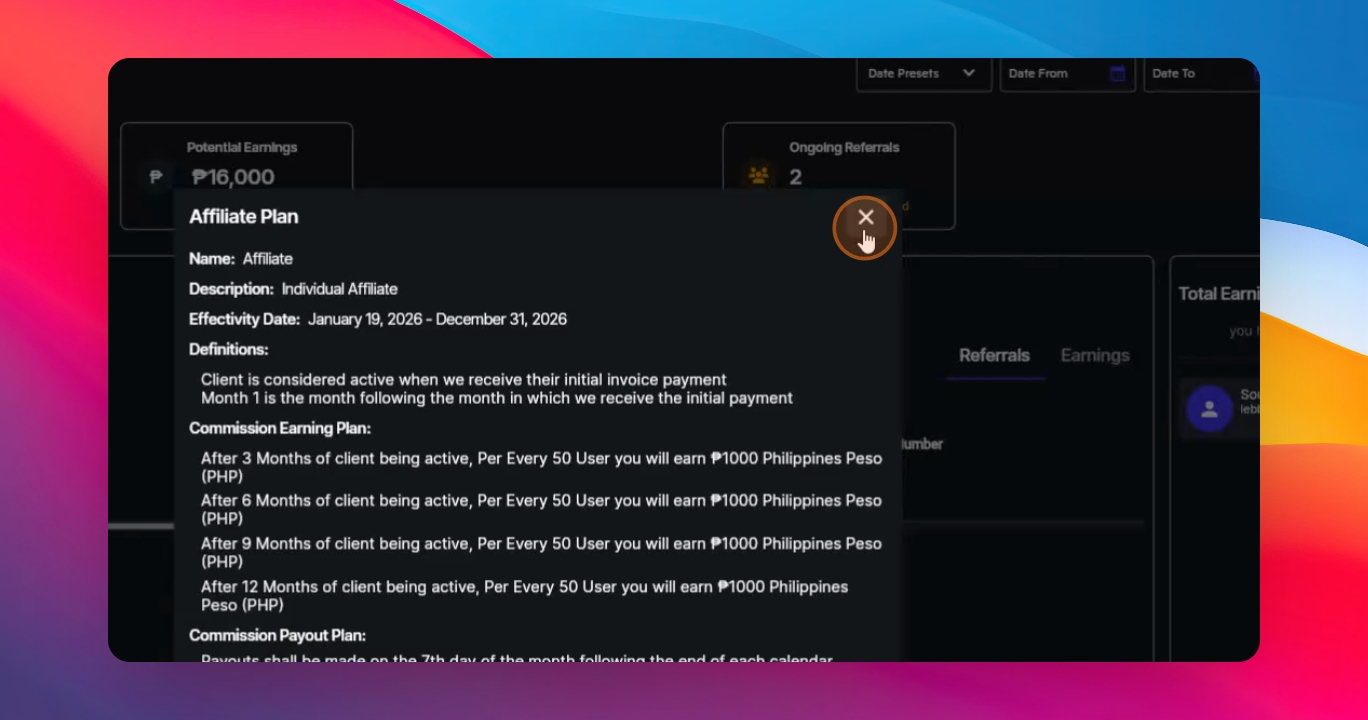
Step 7: View Affiliate Plan
Under View Plan, you can see your current affiliate plan, how it's structured, how much you earn per user, and when your payouts are scheduled.
Step 8: Refer a Lead
To refer a lead, go to Book a Demo and fill out the form with the decision maker's details, including their email, phone number, company name, and number of employees.
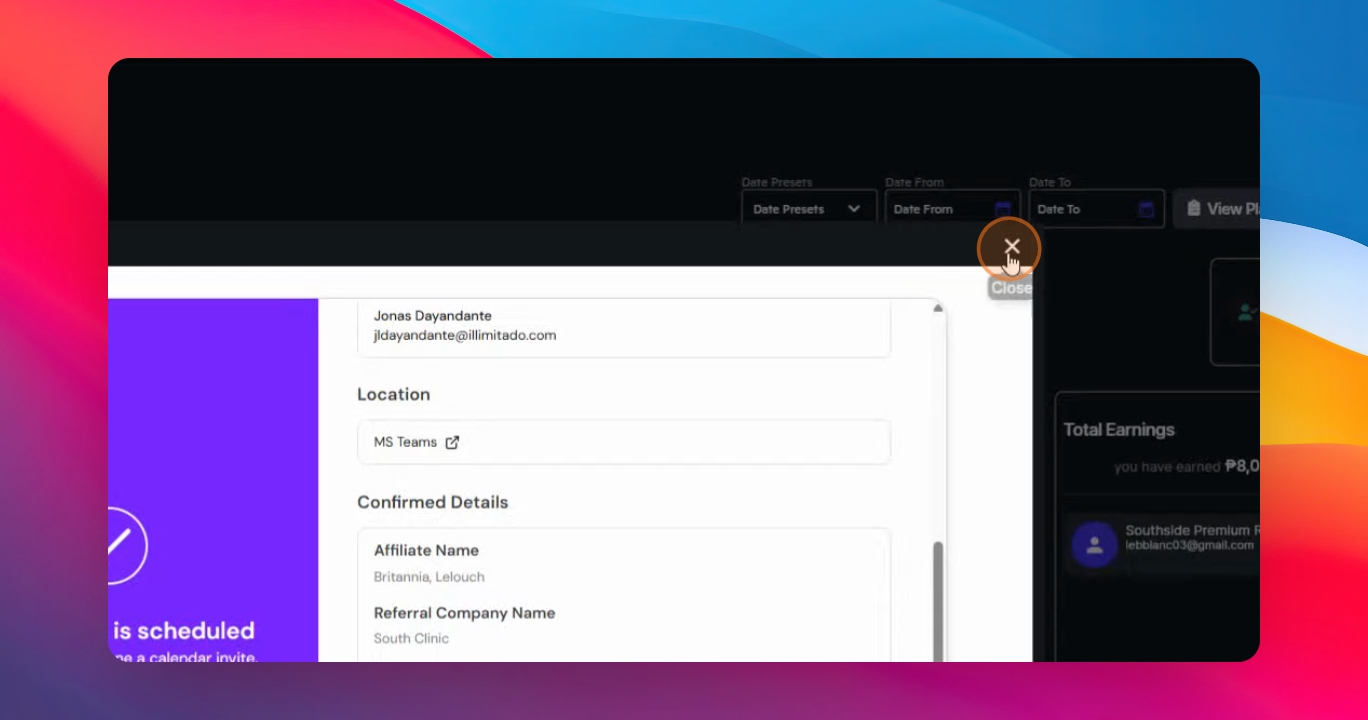
Once a demo is booked, you'll see the potential earnings on your dashboard. This is an estimate and may change based on the final number of registered employees.
Step 9: Track Earnings
In the earnings section, you can track all referrals categorized as ongoing, successful, and unsuccessful. You can switch between View by Referrals and View by Month.
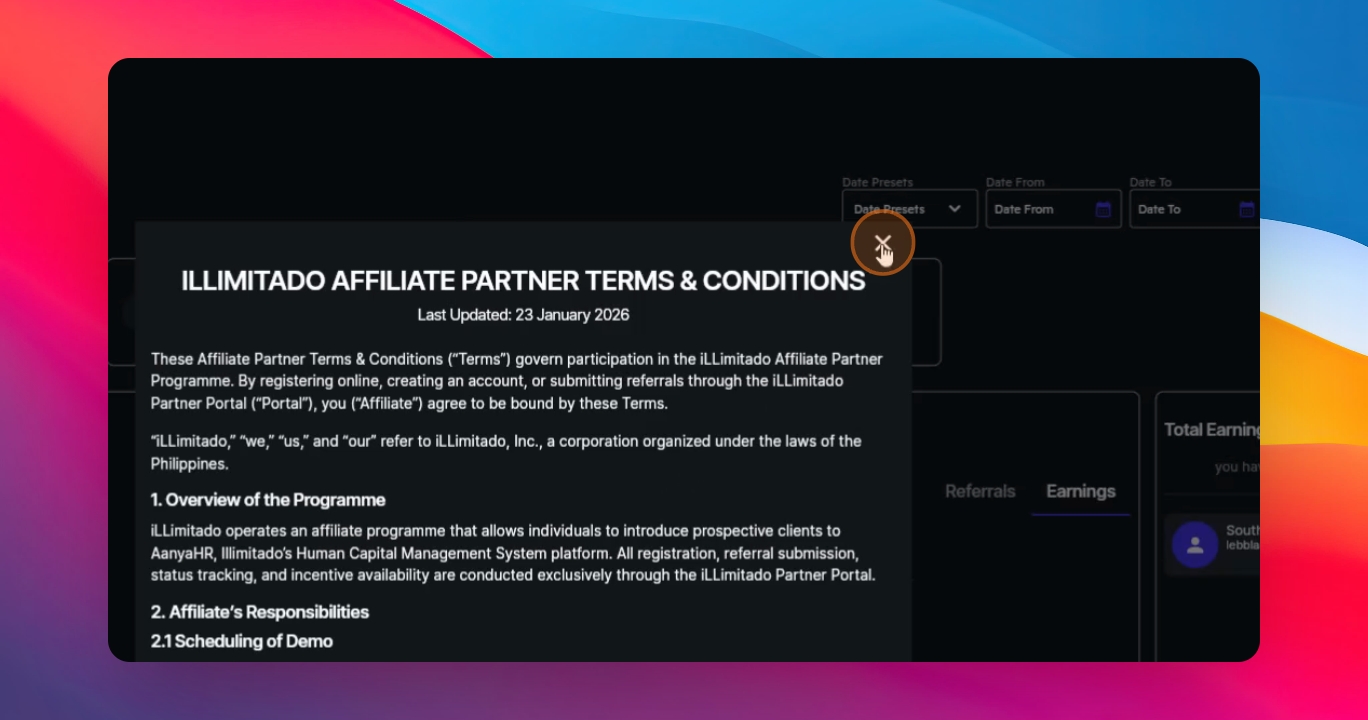
The Total Earnings section shows everything you've earned so far. If you ever need to review the Terms and Conditions, go to Profile and select Terms and Conditions.
Thank you for being part of the AanyaHR Affiliate Program. We look forward to rewarding you for every successful introduction.