

Introduction
Understanding your filing history is crucial for effective management of your requests. In this tutorial, we will guide you through the process of accessing your filing records, including types such as Change Log, Leave, and Overtime. By following these steps, you will be able to view and manage your filings with ease and clarity.
How to Instructions
1. Accessing the Filing Module
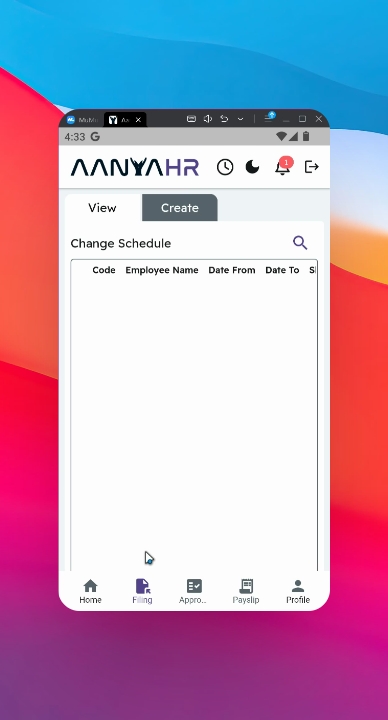
First, navigate to the Filing module on the View panel.
2. Initiating a Search
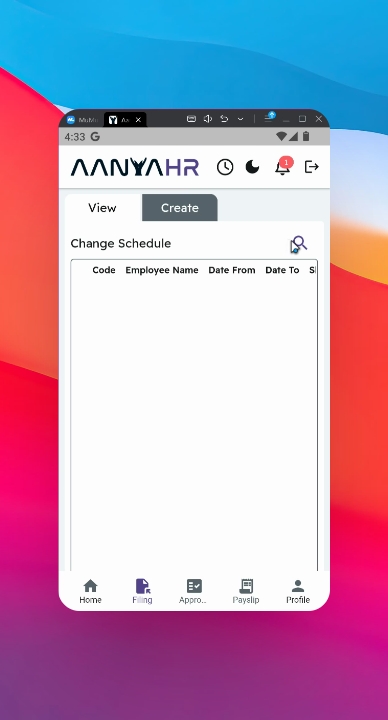
Click the search icon to begin your search for filings.
3. Selecting a Filing Type
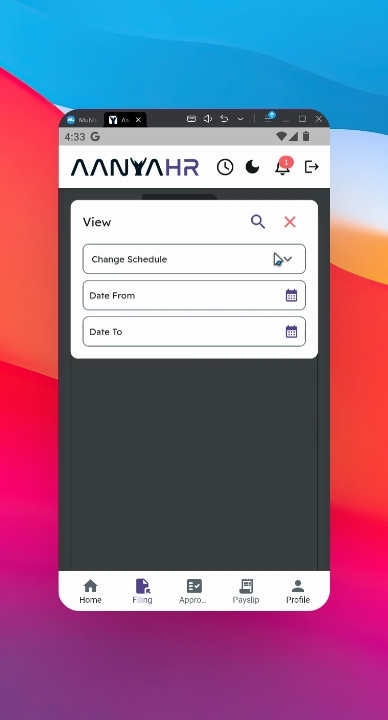
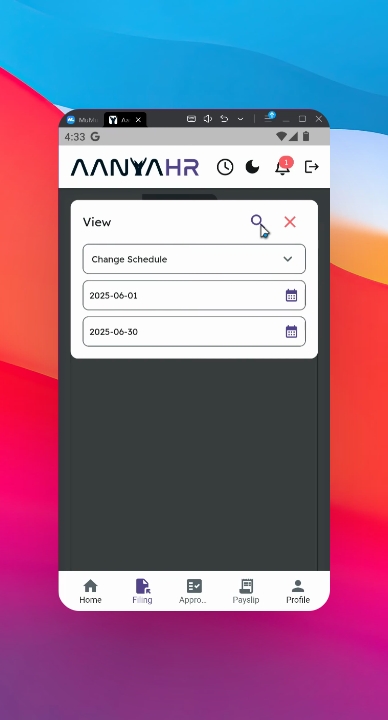
Select a specific filing type that you wish to review. For example, if you want to check all your filings on Change Schedule, select it as your filing type.
4. Specifying the Date Range
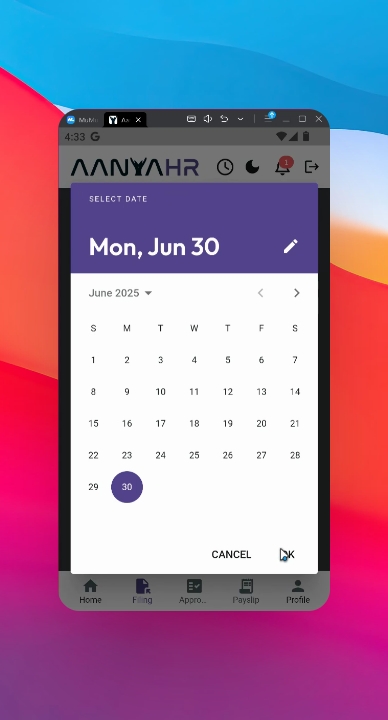
Set the date range for your search. For instance, you may choose to check all your filings from June 1 to 30.
5. Proceeding with the Search
Click the search icon to proceed with viewing your filings.
6. Reviewing Your Filing History
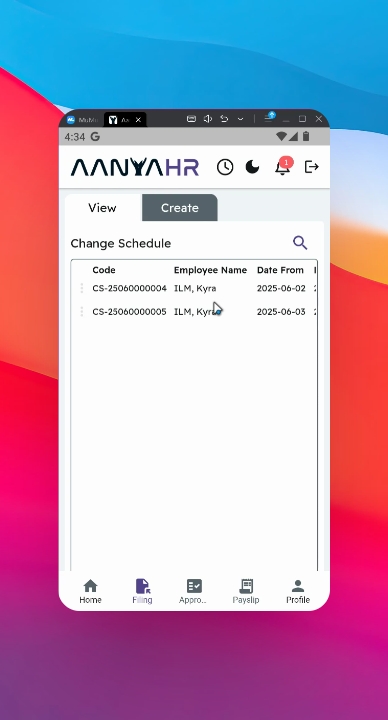
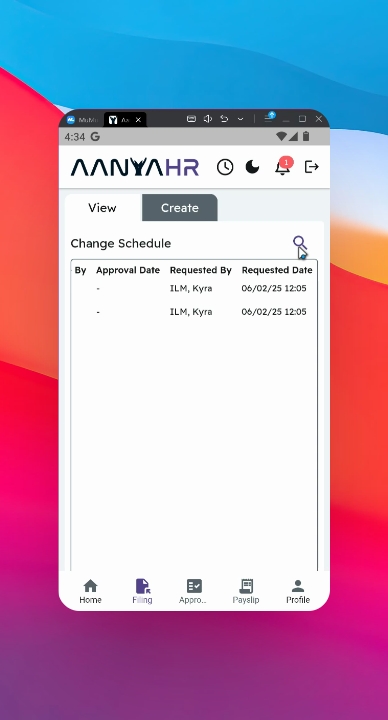
Upon searching, you will see your filing history and movements, which include information such as filing code, employee names, shift codes, reasons, statuses, and approvers' details.
7. Switching Filing Types
You can switch to view different filing types, such as Change Log, Leave, Official Business, or Overtime by clicking the search icon at the upper part of the panel and specifying the desired filing type.
8. Checking Leave Filing History
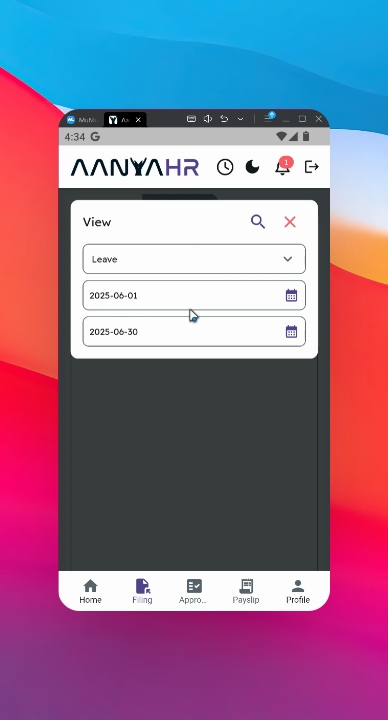
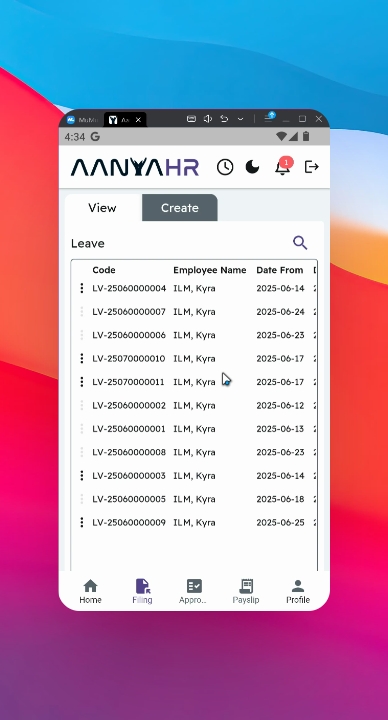
If you want to check your leave filing history for the same date range, simply follow the same process by selecting the leave type and clicking the search icon to proceed.
9. Viewing the Filing List
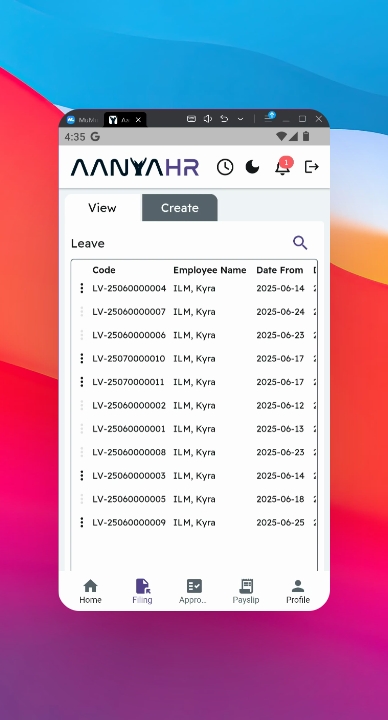
All of your filings will be fully incorporated into this panel, providing a centralized and organized overview of all submitted requests, allowing you to easily track their status.
10. Benefits of the Filing Module
This feature streamlines tracking, improves transparency, and supports efficient request management across the organization.
Conclusion
By following these steps, you can effectively view and manage your filing history, ensuring that you stay informed about the status of your requests.