

Introduction
In today’s fast-paced organizational landscape, managing employee information efficiently is crucial. This tutorial will guide you through the steps to enable and configure the Employee Data Change (EDC) feature in Anya HR, allowing employees and supervisors to request updates seamlessly. With this feature, you will gain full control over approval workflows, enhancing the efficiency of your HR processes.
How to Instructions
1. Access the Feature Configuration
To begin configuring the Employee Data Change (EDC) feature, navigate to the Admin menu.
2. Navigate to Access Control
From the Admin menu, proceed to Access Control.

3. Modify User Access
You can choose to either modify an existing user access or create a new one.
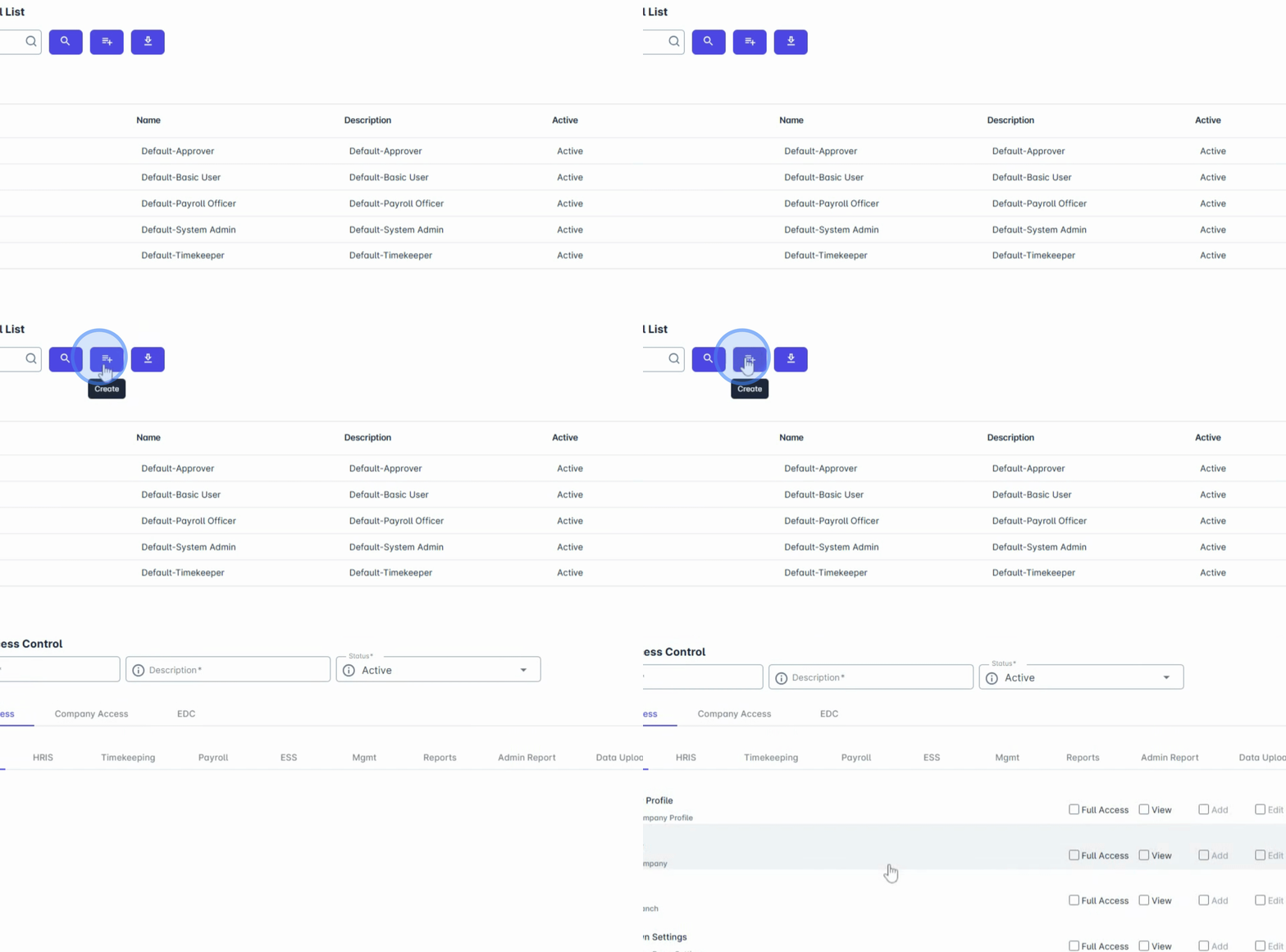
4. Configure Employee Information Fields
Under the EDC tab, you will see a list of employee information fields that can be configured to enable EDC.
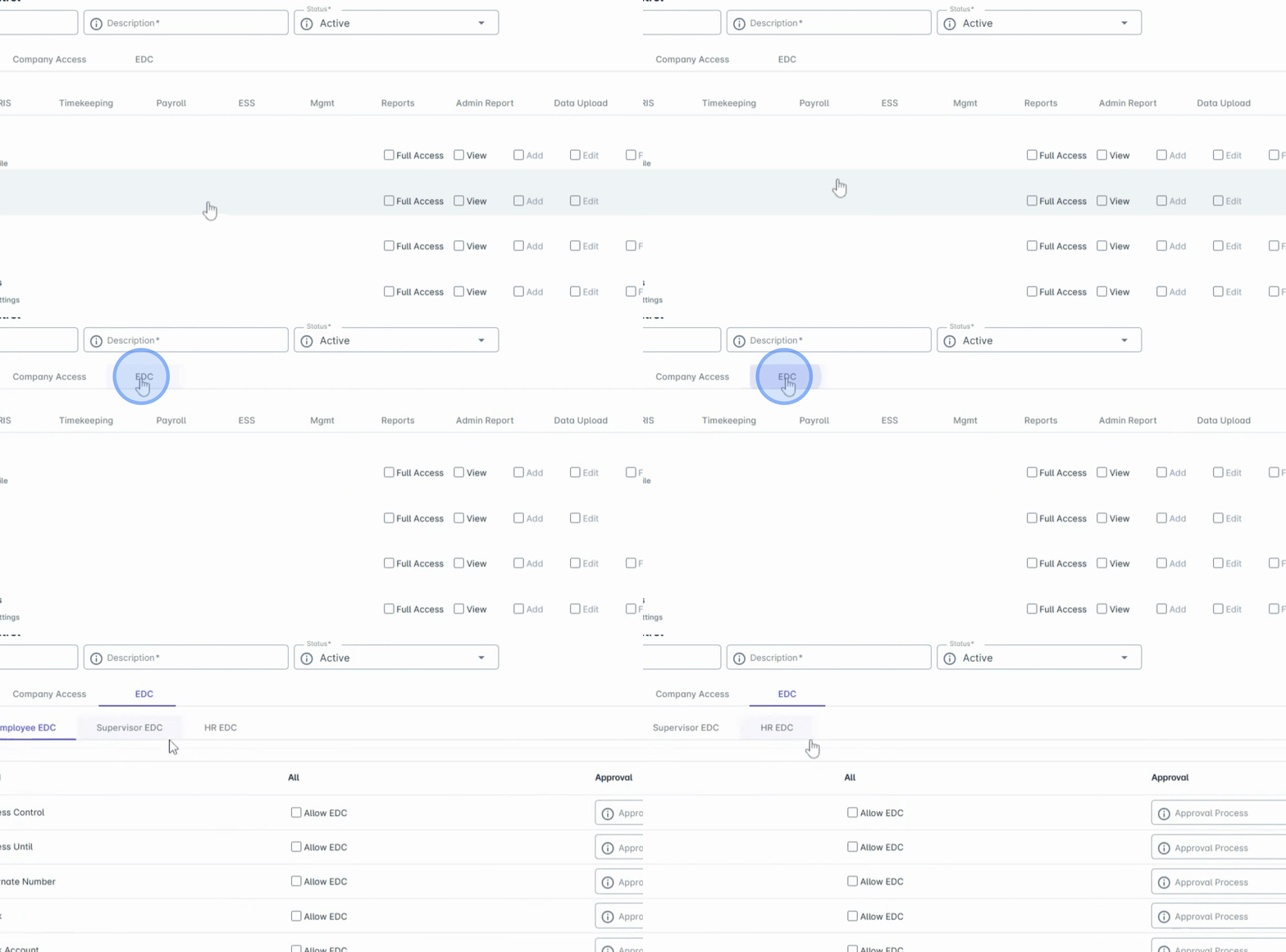
5. Enable EDC for Specific Fields
Simply check the box labeled Allow EDC beside the information field you want to be editable via request and approval.
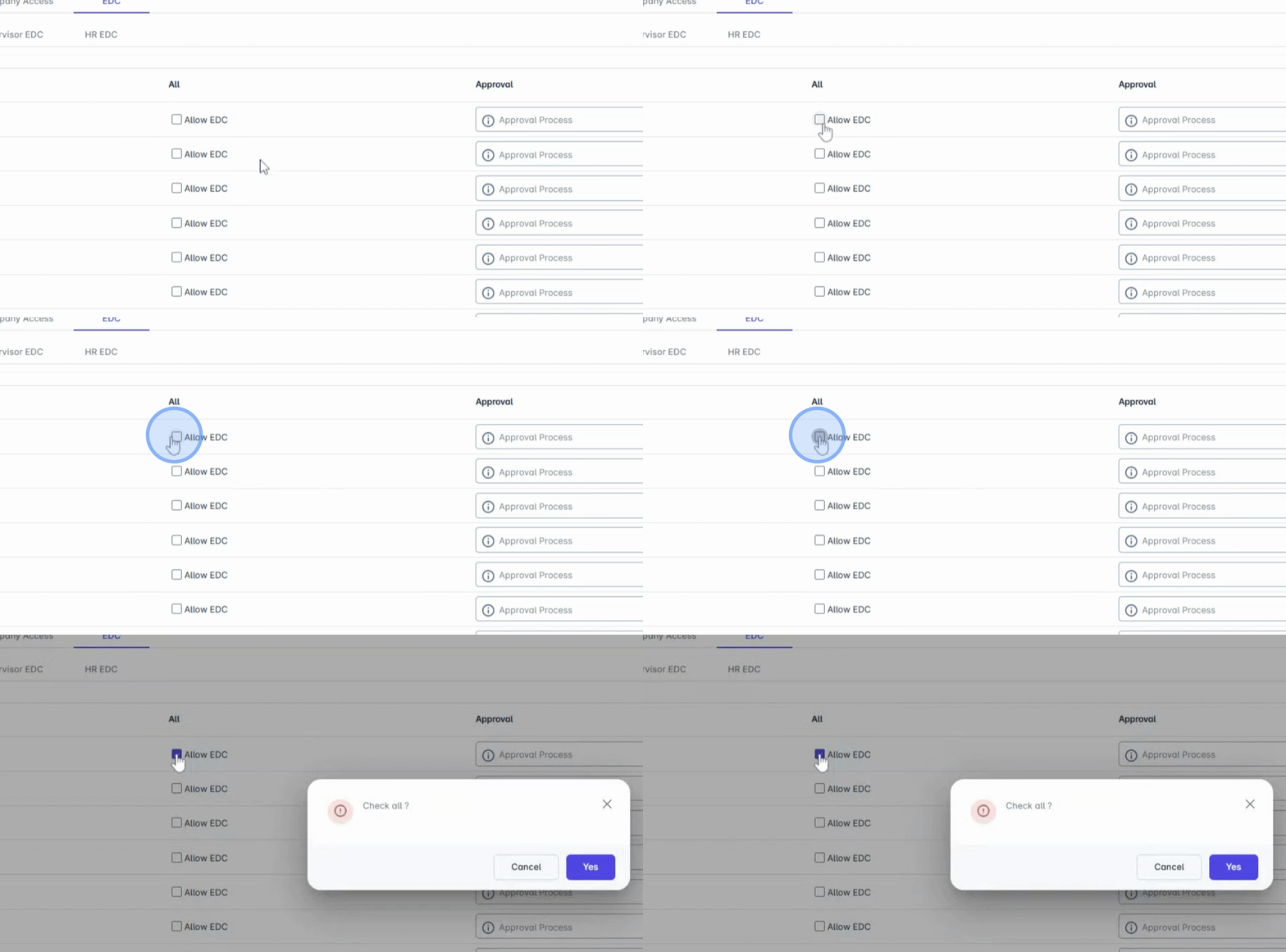
6. Set Approval Settings
Next, set up the approval settings to determine whether requests go through a direct supervisor, HR, or a custom route.
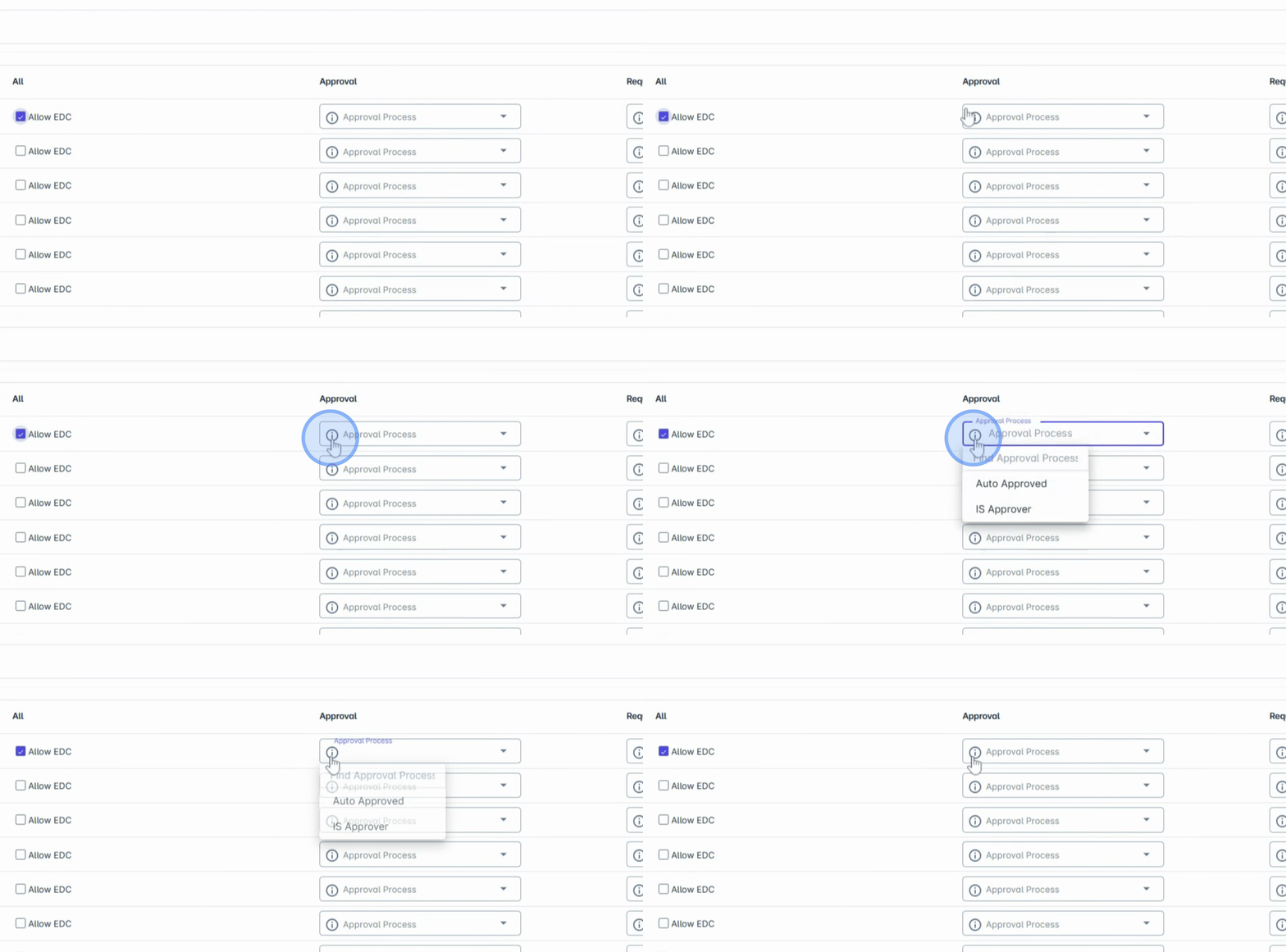
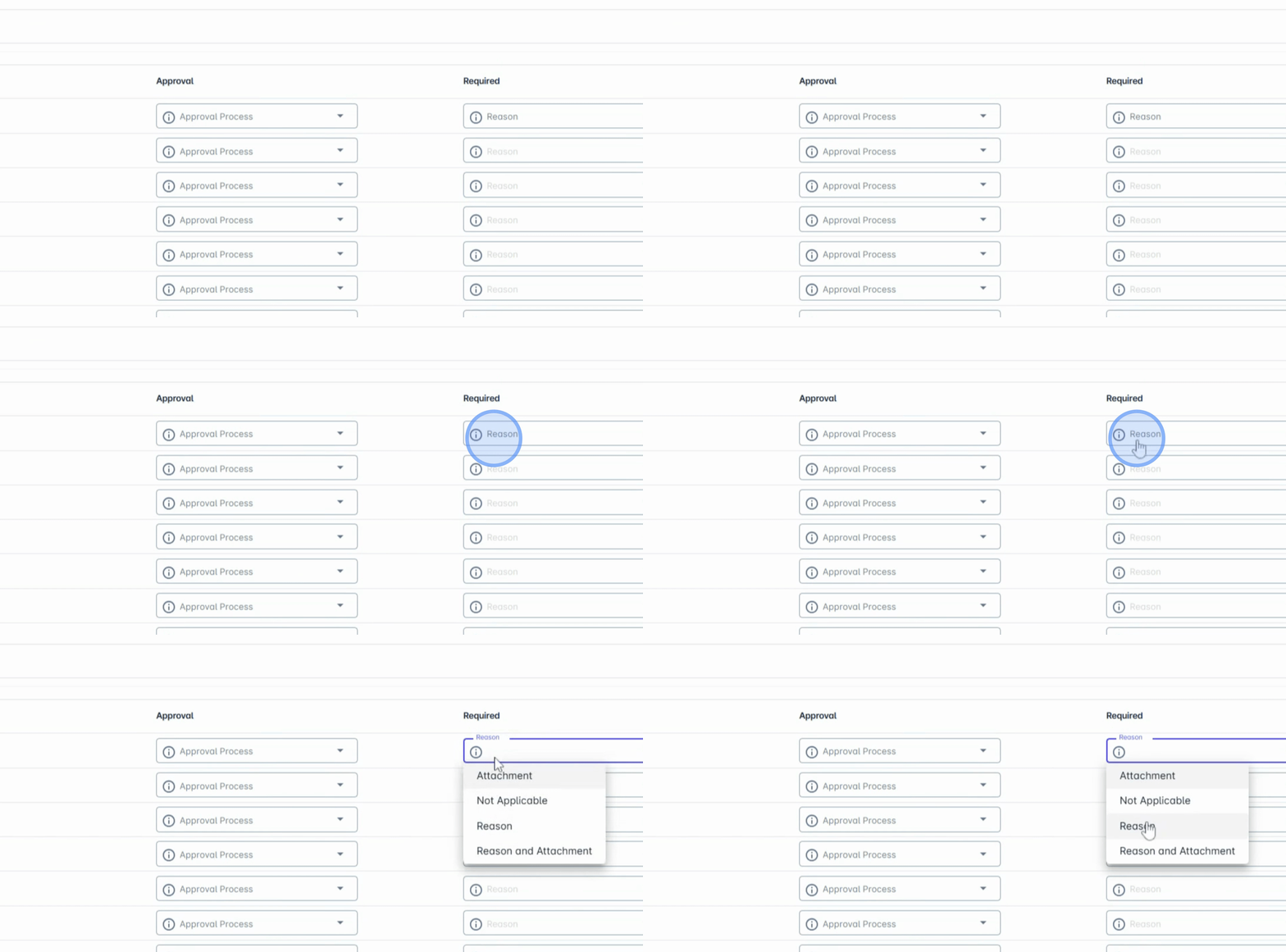
7. Define Request Requirements
Define the request requirements, specifying whether the request should require a reason, an attachment, or a vote, giving you full control over what's needed for each data change request.
8. Save Your Changes
Once all configurations are complete, click Save Changes to apply your settings.
9. Initiate Requests
Once set up, any approved personnel can initiate requests, and the system will automatically route them for approval based on your configuration. This process provides your company with flexibility and ensures data integrity while empowering employees with control over their information.
Conclusion
By following these steps, you will successfully enable and configure the Employee Data Change (EDC) feature, transforming the way your organization manages employee information and enhancing overall HR efficiency.